2025 October Update
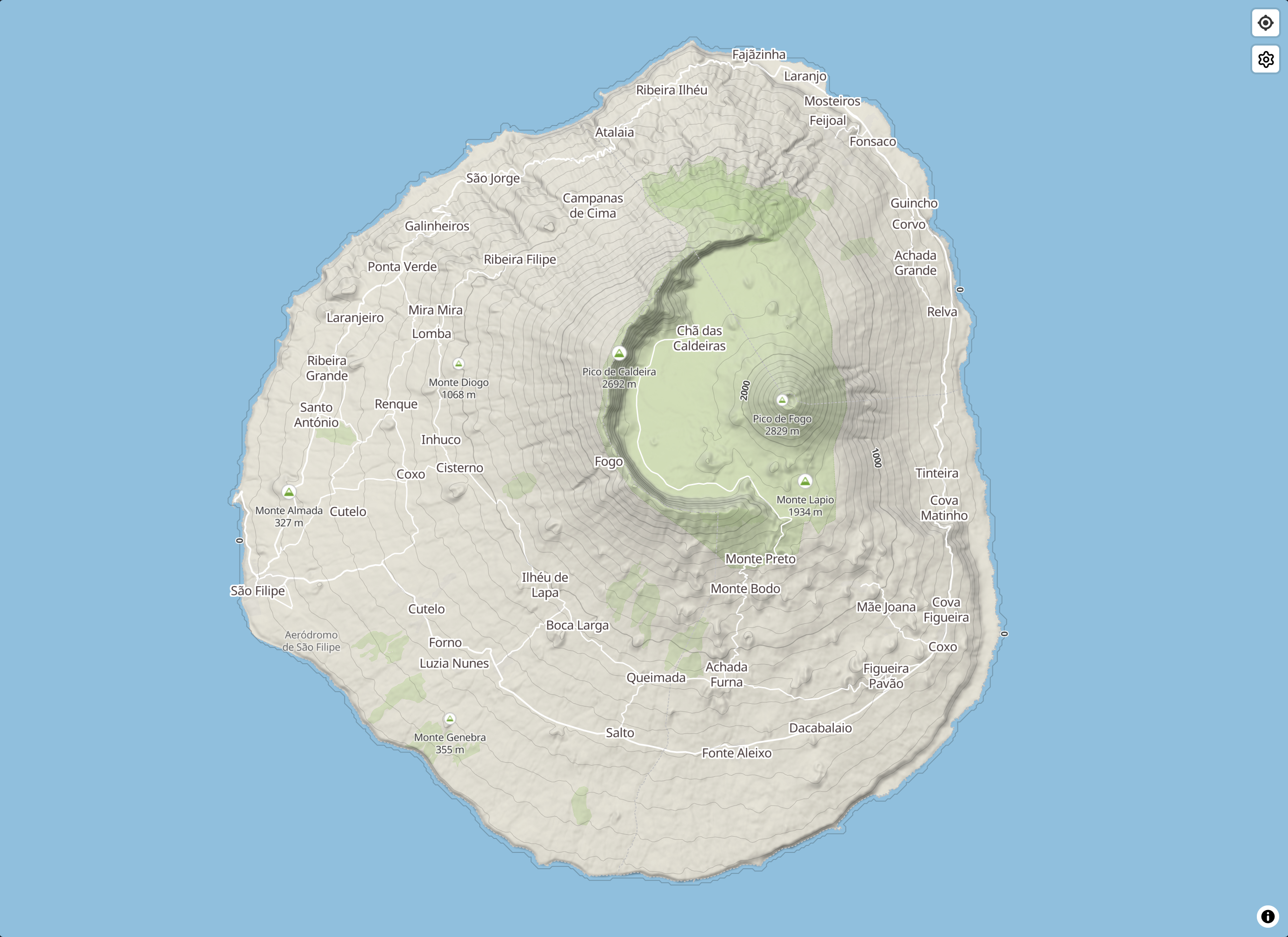
Table of Contents
Track preview#
Preview user tracks by clicking on the icon in a task leaderboard. This allows you to quickly see the different routes pilots have taken to complete a task. This feature will be improved in the coming weeks, so that you can replay tracks, with automatic synchronization at the Start of Speed Section (SSS).

Track deletion#
Again on the leaderboard page, you can now delete your own tracks by clicking on the icon (next to the track preview icon). You can also delete your tracks from your activity feed in your profile page.
XContest integration#
When displaying a task QR code, the dialog now contains the numeric code which can be used to download tasks in XCTrack from the cloud. You can also use the link next to the numeric code to open the task in XContest tools.

Custom terrain maps#
Have you noticed a lot of changes in the map styles these last few weeks ? Thanks to the awesome work of wipfli on Mapterhorn and hyperknot on OpenFreeMap, we’ve now got nice-looking terrain maps using open data displayed by open-source software. This is the future.

Edit history#
You can now use the Undo (
) and Redo (
) buttons in the task editor to navigate your editing history.
Turnpoint handles#
Placing turnpoints precisely in the task editor used to be tricky, because there was no indicators showing the exact location of their center. There is now a 5m-wide hexagon to help you drag their center exactly where you want, which is particularly useful at high zoom levels.
Skyways#
M. von Känel agreed for Syrac to use its nice thermal maps. Only the skyways have been added to the task editor for now, but the thermal layer is on the way! You can adjust the layer opacity by using the slider in the map settings.

Geolocation#
Quickly center the explore map and the task editor map on your current location by clicking on the icon.
This was originally done automatically but resulted in browsers asking for user geolocation consent unconditionally, even for users who did not whish to use this feature, which was not a nice experience.
Leaderboard sharing#
Want to easily share a task leaderboard page with your friends ? You can now copy the URL directly from the app, or display a printable QR code leading to the page. Being able to copy the URL is particularly useful if you installed Syrac as an app, because unlike in a native browser, installed apps hide the URL bar.

Use it as a sticker on your local site information board if you like!
Landing page#
We’ve finally got a landing page! Its purpose is to showcase Syrac features broadly, without requiring users to set up an account just to check them out.